Dust, moisture, corrosive fumes and small alignment faults can turn a serviceable mild-steel impeller into a source of vibration, lost airflow and unplanned downtime. You will be able to set inspection intervals, isolate the blower safely, identify the actual cause of wear and decide when cleaning, balancing, repair or material replacement is the right response.
Key takeaways
- Inspect the impeller daily and complete a detailed monthly inspection.
- Lock out power before opening, cleaning or servicing the blower.
- Check balance, shaft fit, bearings, welds and blade thickness for wear.
- Verify vibration, airflow and motor current after every repair.
Set the maintenance schedule and isolate the blower safely
Inspect an MS impeller daily, clean or check it weekly in dirty service, and complete a detailed inspection monthly. This schedule supports how to maintain ms impeller in delhi blowers and practical impeller maintenance for factory blower equipment.
Daily, operators should:
- Listen for new rubbing, rattling or other abnormal noise.
- Observe airflow and static pressure against the normal operating point.
- Look for visible dust leakage around the casing, shaft seals and joints.
- Note motor current and compare it with the baseline.
- Check for abnormal bearing temperature or vibration.
Run a weekly cleaning or visual check when the blower handles abrasive dust, fibrous material or sticky deposits. Each month, inspect blade edges, the hub, back plate, shaft key, welds, shroud, casing and inlet cone for erosion, cracks, deformation, loose material and rubbing marks.
Before opening a guard or entering the housing:
- Stop the blower and isolate the electrical supply under documented lockout/tagout.
- Tag the motor, disable automatic restart, and close and lock process dampers.
- Release stored pressure and wait for complete coast-down.
- Verify that the rotor cannot turn. A stopped motor does not prove the impeller is safe.
After commissioning or major repair, record speed, bearing temperature, motor current, airflow and static pressure. Measure vibration at both bearing housings in horizontal, vertical and axial directions. Use these readings as the baseline; judge maintenance from change and trend rate, not one generic vibration value.
Clean the rotor and inspect every load-bearing part
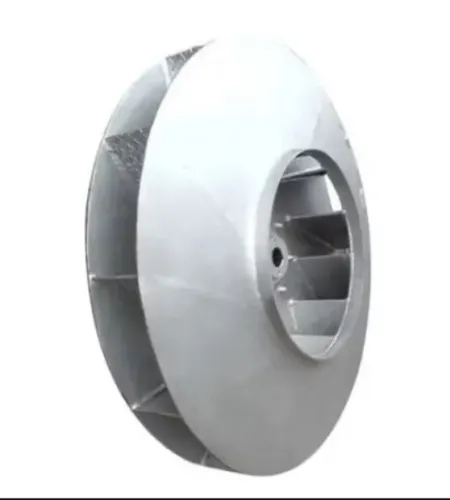
Good ms impeller care starts with cleaning the entire rotor, not the blade that looks dirtiest. For industrial impeller wear prevention, remove deposits from every blade, the hub and the back plate as one balanced set; cleaning one side alone can create worse vibration.
1. Use a dry brush or industrial vacuum for loose dust. Keep abrasive particles away from bearings, seals and exposed shaft surfaces.
2. Use compressed air only when it will not drive dust into bearings, motor openings or occupied work areas. Control the discharge, restrict the blast direction and wear eye, respiratory and hearing protection.
3. Use controlled washing for water-compatible sludge or deposits only after protecting the motor, bearings and electrical parts. Dry the rotor completely before restarting; trapped water promotes corrosion and can damage electrical insulation.
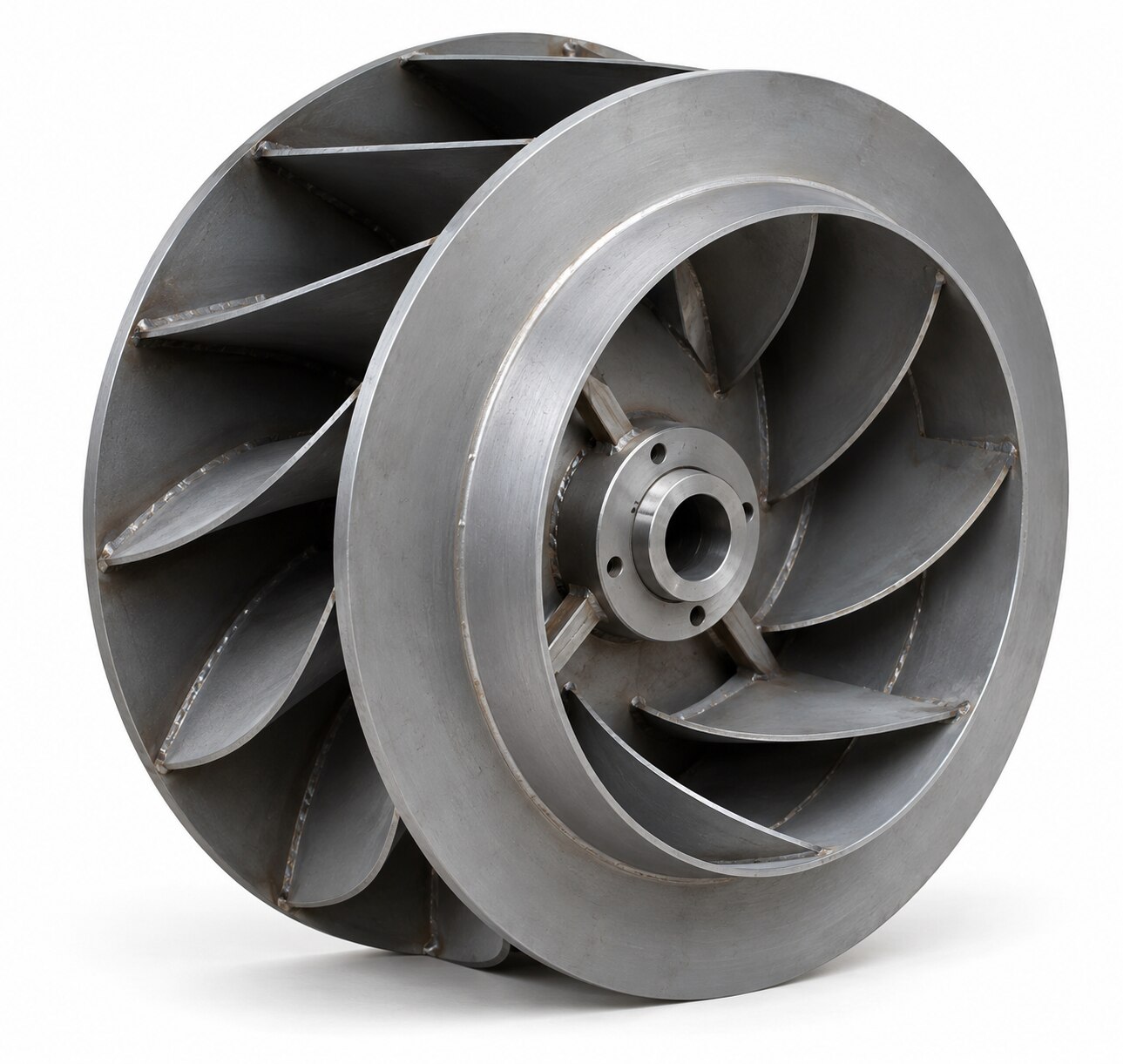
4. After cleaning, inspect the leading edges, blade tips, roots, weld toes, hub-to-shaft connection, keyway, back plate and shroud. Look for directional abrasion, pitting, cracks, deformation, loose material and rubbing marks.
Cleaning reveals whether buildup caused the problem or erosion permanently changed the blade. Compare blade shape, thickness and symmetry after deposits are gone; pitting at a root or weld toe demands more attention than uniform surface rust. If vibration remains, check shaft runout, key security, hub movement and casing clearance before adding a balance weight.
Photograph the rotor and record these findings for comparison at the next shutdown.
Prevent abrasion, corrosion and deposit-related wear
A coating cannot restore steel lost to abrasion or corrosion. During MS impeller care, clean the rotor, dry it, remove loose rust and failed coating, then measure pits and remaining metal thickness before specifying any repair.
1. For abrasive dust, inspect the gas-entry side, leading edges, blade tips, shroud, back plate and inlet cone for directional thinning, including areas hidden under deposits. Symmetrical wear strips, hardfacing or replaceable liners can support industrial impeller wear prevention, but uneven installation creates imbalance; preserve symmetry or dynamically rebalance the rotor.
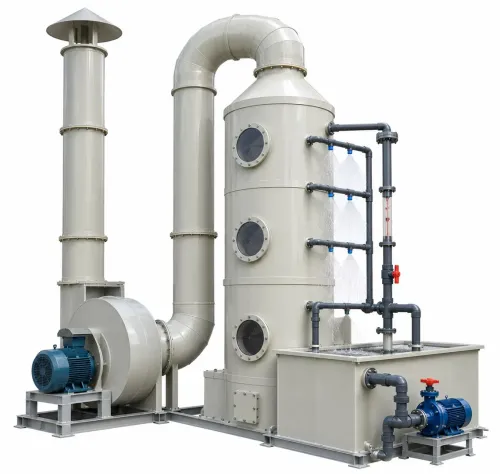
2. For wet air-washing or scrubber duty, remove deposits and dry the metal before examining blade roots, pits, weld toes, the hub-to-shaft connection and leading edges. Local section loss at a root or weld is more dangerous than uniform surface rust because it concentrates stress and can start a crack.
3. Set a written minimum remaining-thickness limit for each repaired area. Replace metal or use an engineered weld repair below that limit; applying a thicker paint film does not recover lost section.
4. Select a process-compatible corrosion-resistant material when repeated pitting reduces the MS section, corrosive condensate attacks welds or roots, or coating repairs fail before the next shutdown. Do not answer recurring corrosion with thicker paint alone.
5. For sticky deposits or high-temperature service, review process temperature, condensate formation and deposit chemistry before choosing a liner, coating or different impeller material. Clean every blade and the hub as a balanced set, because removing buildup from one side can worsen vibration.
Read vibration, airflow and motor symptoms before damage spreads
Rising vibration, new rubbing noise, visible blade damage, unstable pressure, reduced airflow or higher motor current warrants shutdown. Investigate the cause before adding a balance weight; a weight can hide a defect, detach at speed and cause severe damage.
1. Compare current readings with the established baseline for vibration, airflow, static pressure, motor current and bearing temperature. Check the intended operating point after maintenance because blocked filters, closed dampers, altered scrubber packing or inlet damage can increase system resistance and overload a sound rotor.
2. Inspect the cleaned rotor for deposits concentrated on one section. That pattern indicates fouling. Permanent loss along leading edges indicates erosion, while a once-per-revolution vibration combined with shaft runout, a loose key or hub creep indicates alignment or seating trouble.
3. Check both bearings for looseness, overheating and incorrect lubrication. Use the manufacturer’s specified grease, quantity and compatibility requirements; over-greasing raises temperature, and incompatible grease can separate or harden. Inspect coupling alignment, foundation bolts and motor condition because each can imitate impeller imbalance.
4. Treat rubbing marks as a fault. Check shaft runout, hub seating, bearing condition, casing distortion, foundation movement and thermal growth before changing clearance. Mark the hub and shaft after alignment so later inspections reveal movement.
5. Never straighten an MS blade with a hammer, torch or uncontrolled weld. After any blade, hub or back-plate repair, measure dimensions, inspect clearances and dynamically balance the complete rotating assembly. This is essential during MS blower impeller service and any impeller maintenance for factory blower.
Use planned shutdown service and verify the repair
A proper shutdown service starts with measurements, not a balance weight. Photograph the rotor, measure shaft runout and impeller-to-inlet clearance, then inspect the keyway, hub fasteners, bearings and lubrication compatibility. Compare metal thickness at every eroded or pitted area.
After cleaning, coating, welding, blade replacement or liner installation, record:
- Repair location and method
- Rotor photographs, dimensions and clearance measurements
- Shaft runout and dynamic-balance information
- Vibration at both bearing housings
- Bearing temperatures, motor current, airflow and static pressure
Start the blower under controlled conditions. Listen for rubbing, watch for abnormal vibration, and let the machine reach stable operating temperature before repeating the measurements. A change in pressure, airflow or current can indicate blocked filters, closed dampers, altered scrubber packing or inlet damage rather than an impeller fault.
Routine cleaning and major rotor repair need different follow-up timing:
| Service | Verification focus | First follow-up |
|---|---|---|
| Routine cleaning | Confirm deposits did not return and readings match baseline | Normal inspection interval |
| Major rotor repair | Check weld distortion, loose fasteners, liner detachment and balance | Earlier inspection |
If your factory lacks balancing equipment, vibration trending or clearance and weld-distortion checks, choose complete rotor inspection over a balance-weight adjustment. R K Industries Delhi is worth comparing when its MS blower impeller service includes duty-specific measurements and post-service records, not only a repair quotation.
This documented approach is how to maintain an MS impeller in Delhi blowers without repeating trial-and-error work.
Related products
 | MS Impeller M S IMPELLER ₹12000 Our MS impeller epitomizes durability and performance in air movement applications. |
 | MS Impeller The heart of efficient air movement, our fan impeller delivers unparalleled performance. View product → |
Frequently asked questions
How often should you inspect an MS impeller in a Delhi blower?
Inspect it daily, clean or check it weekly in dirty service, and complete a detailed inspection monthly.
How do you isolate a blower safely before impeller maintenance?
Stop the blower, isolate electrical power, apply lockout and tagout, close connected dampers, and confirm that the rotor cannot move.
Which impeller parts need inspection?
Inspect the blades, hub, shaft, key and keyway, welds, bearings, guards, and fasteners for cracks, looseness, corrosion or wear.
What symptoms indicate developing impeller damage?
Rising vibration, reduced airflow, unusual noise, higher motor current, rubbing sounds and unstable operation indicate damage or imbalance.
Keywords